

By Daniel Okafor · consumer-AI reviewer
Daniel writes about consumer AI apps and has spent the past few years tracking how the big all-in-one platforms stack up against single-purpose tools. He tested the features below himself. Last updated July 2026.
Overchat is an all-in-one AI platform that puts image, video, audio, and text tools behind a single login, with an AI selfie generator as one of its most-used image features. Instead of juggling separate apps and subscriptions, you pick a tool, feed it a prompt or a photo, and get a result — a selfie, a headshot, a dance clip, a summary — from one place.
What is Overchat AI, really?
Think of it as a control panel for modern AI models rather than a single product. Under the hood it routes your request to whichever model fits the job, so a selfie goes to an image model while a long document goes to a text model. You never have to know which one; you just choose the tool you want.
There’s a practical upside to that routing. When a sharper image model or a faster chat model lands, it shows up inside the tools you already use, so you get the upgrade without shopping for a new app. You are subscribing to a moving target that keeps improving, not to one model frozen at the version you signed up for.
That framing matters because most people don’t need ten AI apps — they need one that covers ten jobs. Overchat AI leans into that, and the catalog is wide enough that the selfie generator is genuinely a small slice of it.
What lives inside the platform
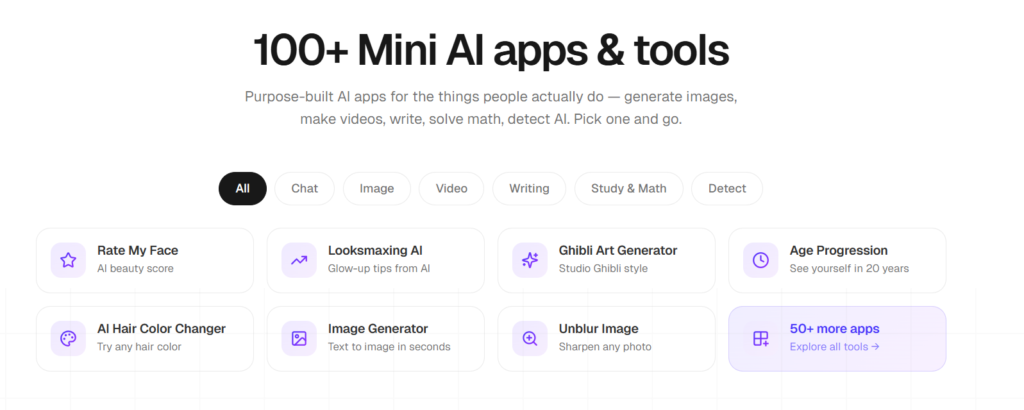
The tools group into four families. The table below is a representative sample, not the full 150+, but it shows the spread.
| Category | A few of the tools | What you’d use it for |
|---|---|---|
| Image | AI selfie generator, AI headshots, image generator, upscaler | Profile pictures, portraits, art |
| Video | AI dance generator, text-to-video, image-to-video, avatars | Short clips for TikTok and Reels |
| Audio | Text-to-speech, voice cleanup, transcription | Voiceovers and clean audio |
| Text | AI chat, writing, translation, summaries, ChatPDF | Drafting, translating, research |
The point isn’t the exact count. It’s that the same account that turns your photo into a beach selfie can also write the caption, clean up a voice note, and summarize a PDF you paste in.
The AI selfie generator, up close
The selfie generator is the feature most people meet first, so it’s worth seeing how it actually works. You upload a photo of yourself, a friend, or a character, describe the scene in plain English, and the AI returns a hyper-realistic HD selfie — the kind that looks shot from a phone at arm’s length.
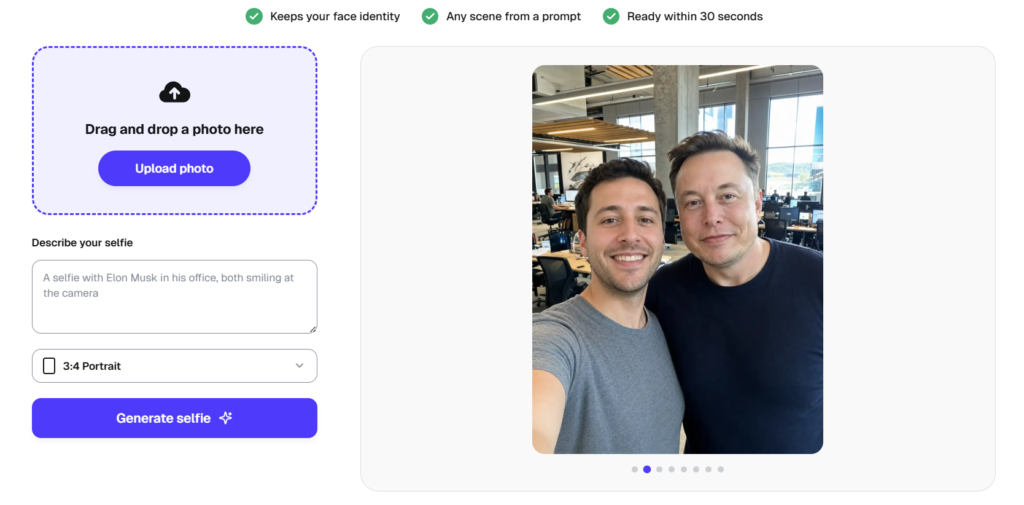
The selfie generator: upload a photo, describe a scene, get an HD result in about 30 seconds. Source: overchat.ai, July 2026.
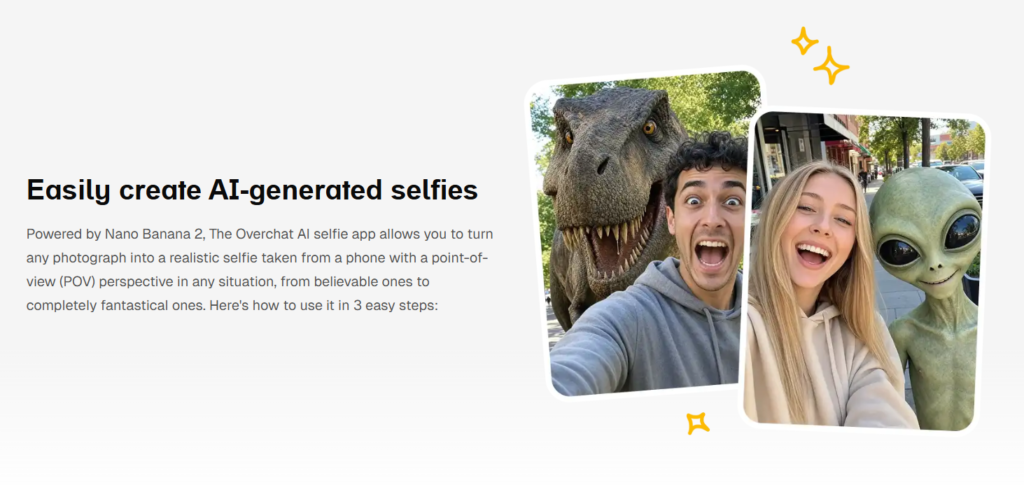
The prompts can be believable or absurd. “A selfie with Elon Musk in his office” is the example on the page; you can just as easily ask for a Bali beach, a night city skyline, or yourself grinning next to a dinosaur. It keeps your face identity intact, runs in about 30 seconds, and downloads in HD with no watermark. It’s powered by Nano Banana 2, Google’s image model, and accepts PNG, JPG, HEIC, and WebP.
A quick tip from testing: the clearer your source photo, the better it holds your face across wild scenes. A sharp, well-lit shot gives the model more to work with, and specific prompts — the location, the lighting, who is standing next to you — beat vague ones every time.
Here is the quick reference on the tool itself.
| AI selfie generator | At a glance |
|---|---|
| Input | Your photo plus a plain-English prompt |
| Output | Hyper-realistic HD selfie, phone-POV look |
| Speed | About 30 seconds |
| Scenes | Celebrities, exotic places, impossible scenarios |
| Model | Nano Banana 2 |
| Formats | PNG, JPG, HEIC, WebP |
| Watermark | None on HD download |
| Price | Free to try; Pro Access $14.99/mo or $59.99/yr |
Because it holds your likeness across scenes, the selfie generator is popular for profile pictures, group-chat gags, and travel photos of trips you never took. It sits in the image family alongside AI headshots and an image generator, so a polished LinkedIn portrait and a joke selfie with an alien come from the same menu.
Why bundle everything into one app?
The obvious answer is cost, and the math is stark. Buying flagship access separately means three subscriptions — ChatGPT, Claude, and Gemini — that each hover around $20 a month.
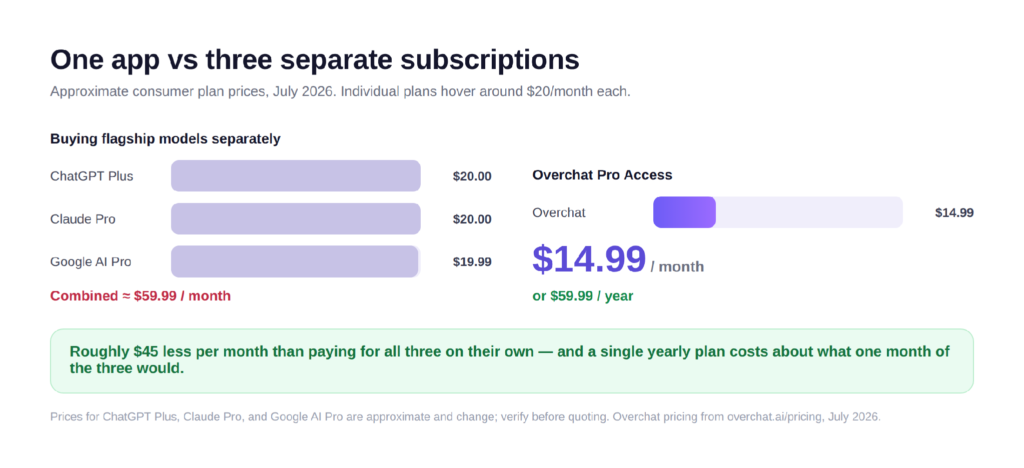
Overchat is built around that gap. It is an all-in-one AI app with 150+ purpose-built tools for image, video, audio, and text generation, powered by the latest models from GPT, Claude, Gemini, Grok, Kimi, Qwen, and more, and it runs on web, iOS, and Android with 350,000+ users. Its Pro Access plan is $14.99 per month, or $59.99 for a year — close to what a single month of all three separate subscriptions would cost. For anyone who dips into more than one kind of AI, the saving compounds fast.
Cost aside, there’s a workflow reason. Switching between apps breaks your train of thought; keeping the selfie tool, the writer, and the voice cleaner in one tab means a task that used to span three logins now spans three clicks.
How Overchat compares to single-purpose tools
A dedicated selfie app can be excellent at exactly one thing. The trade-off is that you end up with a phone full of them — one for selfies, one for headshots, one for video, each with its own account and bill. A platform trades a sliver of specialization for coverage and a single price.
Picture a single evening: you make a headshot for a job application, draft the cover note, then fire a goofy selfie into the group chat. On separate apps that is three tabs, three logins, and maybe two paywalls. In one platform it is the same sidebar, and nothing resets your context between tasks.
For most people the coverage wins. You rarely need the best-possible selfie tool and nothing else; you need a good selfie tool that lives next to the other nine things you’ll want this month. That is the case Overchat makes, and the selfie generator is the friendly front door to it.
FAQ
Is Overchat just a selfie generator?
No. The selfie generator is one image tool among 150+ across image, video, audio, and text. The same account also handles AI chat, headshots, video, transcription, and document summaries.
Do I need to know which AI model to pick?
No. You choose the tool by what you want to make — a selfie, a summary, a voiceover — and Overchat sends it to a fitting model behind the scenes.
What models does Overchat AI use?
It routes tasks to leading models from GPT, Claude, Gemini, Grok, Kimi, Qwen, and more, and picks the one that fits each job. The selfie generator specifically runs on Nano Banana 2.
How much does Overchat AI cost?
There’s a free tier to try, and Pro Access is $14.99 per month or $59.99 per year. That compares with roughly $60 a month to subscribe to ChatGPT, Claude, and Gemini separately.
Is the AI selfie generator free?
It’s free to try, generates in about 30 seconds, and downloads in HD without a watermark. Free access can be limited, so check the current terms before a big batch.
Disclaimer: While every effort has been made to ensure accuracy, this article may contain minor inaccuracies
in names, locations, or event details. Readers are welcome to contact the editorial team for any clarification.